Hello,
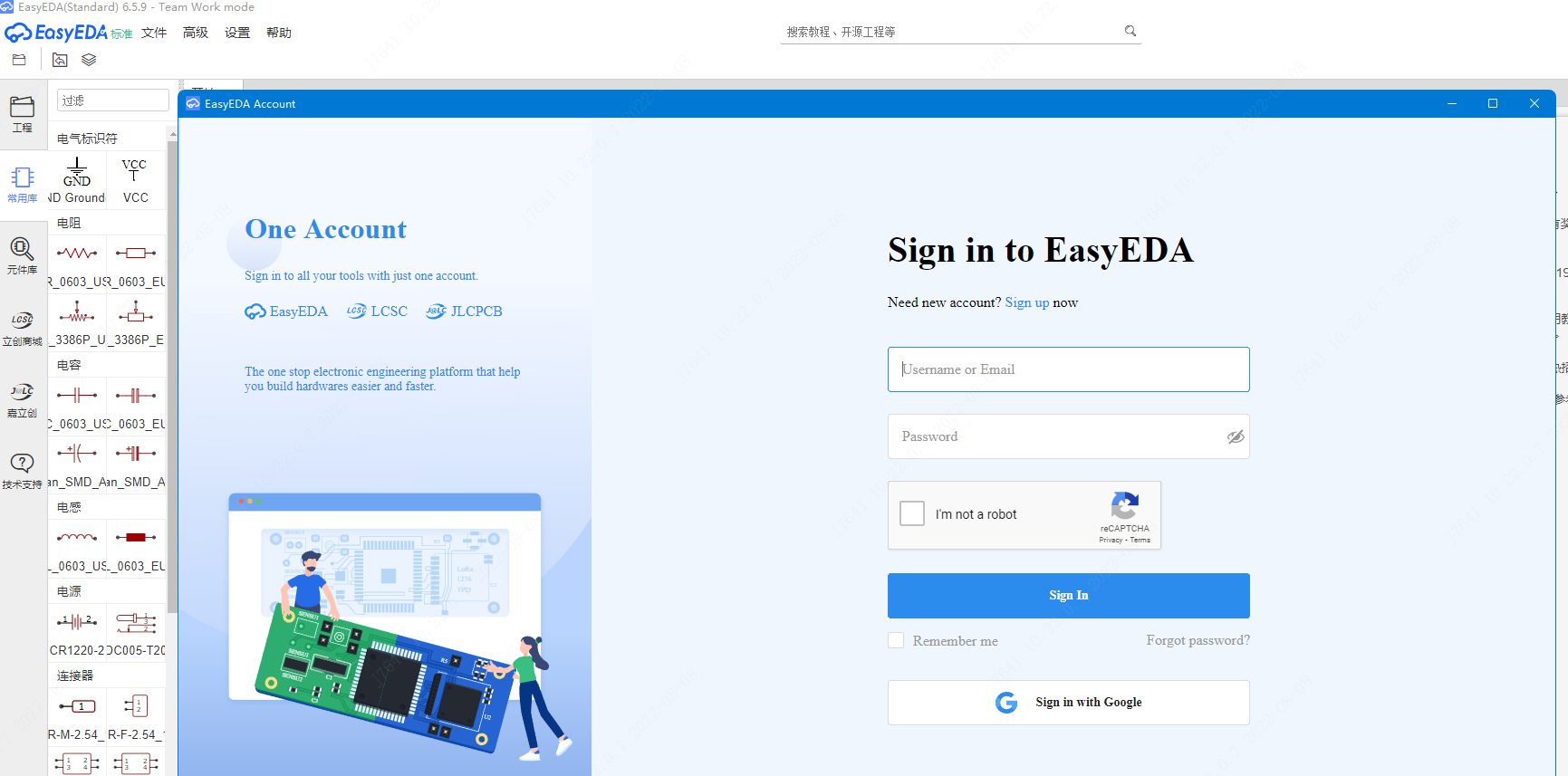
i installed EasyEDA on KuBuntu (Ubuntu with KDE) and after booting it I can't login. The "Account" window opens and the window has a white background. There is nothing where I can enter my data and log in.
Is there a way to fix this?
@andyfierman Exactly right, I installed the STA version on the Desktop.
When I click on "Try Pro Edition", a window pops up and there is a message, but when I click login, the title of the window changes to "Account" and only a white screen is left.
When I click on "Try Pro Edition", a window pops up and there is a message, but when I click login, the title of the window changes to "Account" and only a white screen is left.
<br>
<br>
<br>
157 / 5 000
<br>
## Wyniki tłumaczenia
<br>
<br>
When I click on "Try Pro Edition", a window pops up and there is a message, but when I click login, the title of the window changes to "Account" and only a white screen is left.
@kenneth931 @michal-jab
any chance to change your network?
I can open the login page, it works good
when you got the white page, please press F12 to check the console or network tab, if any errors, please let us know
Our website uses essential cookies to help us ensure that it is working as expected, and uses optional analytics cookies to offer you a better browsing experience. To find out more, read our Cookie Notice














 Brand new interactions and interfaces.


 Easy to use and quick to get started.